Using Redash for Visualization

Over the winter break I was having a conversation with my cousin concerning the awesomeness of Tableau and all it offers. While Tableau is a best in class product, there are a couple points that he raised which are valid points against the effectiveness of Tableau.

  1. Tableau uses it’s own proprietary language and functions for a lot of aggregations/advanced functionality that could be done in SQL. SQL based tools are better, he referred to Metabase explicitly among others, due to the fact that most analysts know the language and therefore will easily be able to pick it up.
  2. Tableau isn’t open source, so as a user, if something doesn’t exist in an open source tool and I know the language, a custom feature to the tool can be added easily (depending upon your ability to code in the respective language).

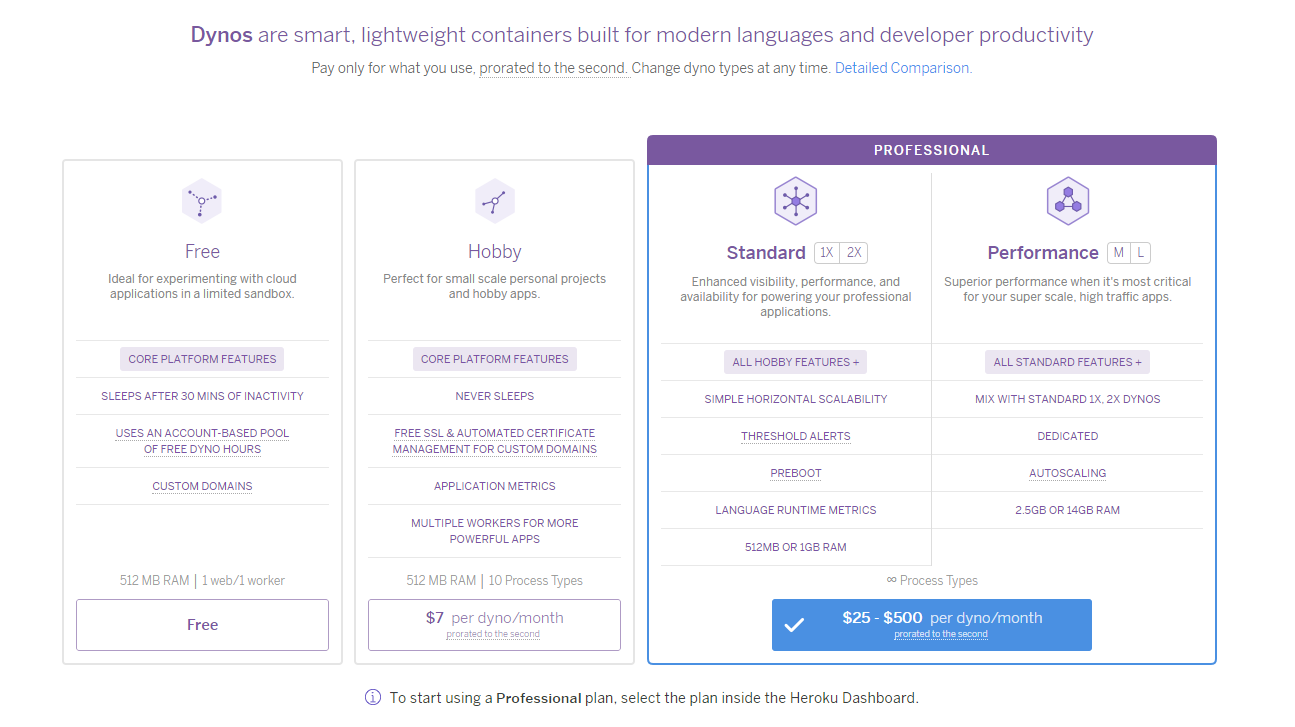
With that in mind, that got me down the path of looking at open source reporting and dash boarding tools that are heavily SQL based. When looking, I cracked upon both a Metabase and Redash instance with which to play around with. Metabase had a good number of features available, but an extremely limited amount of rows which could be ingested by the tool on the free tier.

herokutiers

Heroku – Different pricing tiers

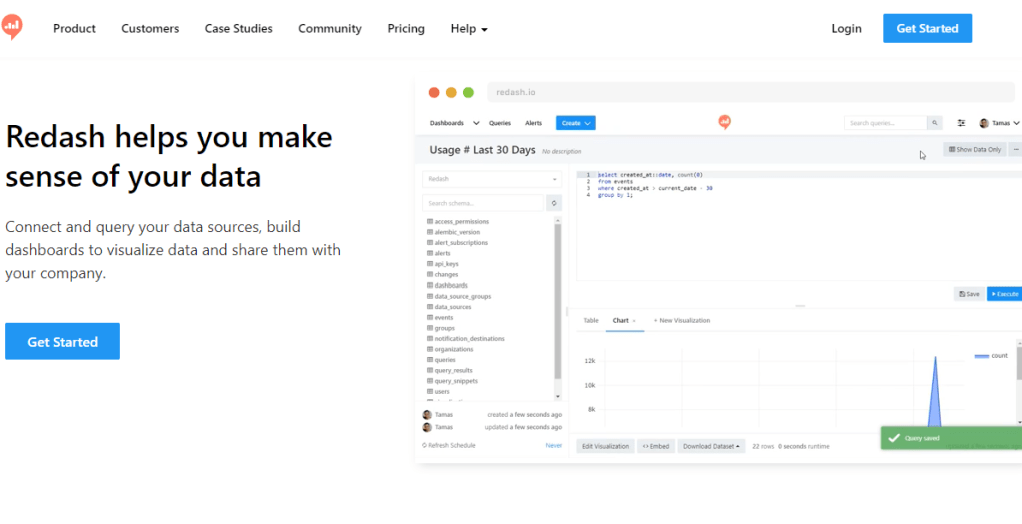
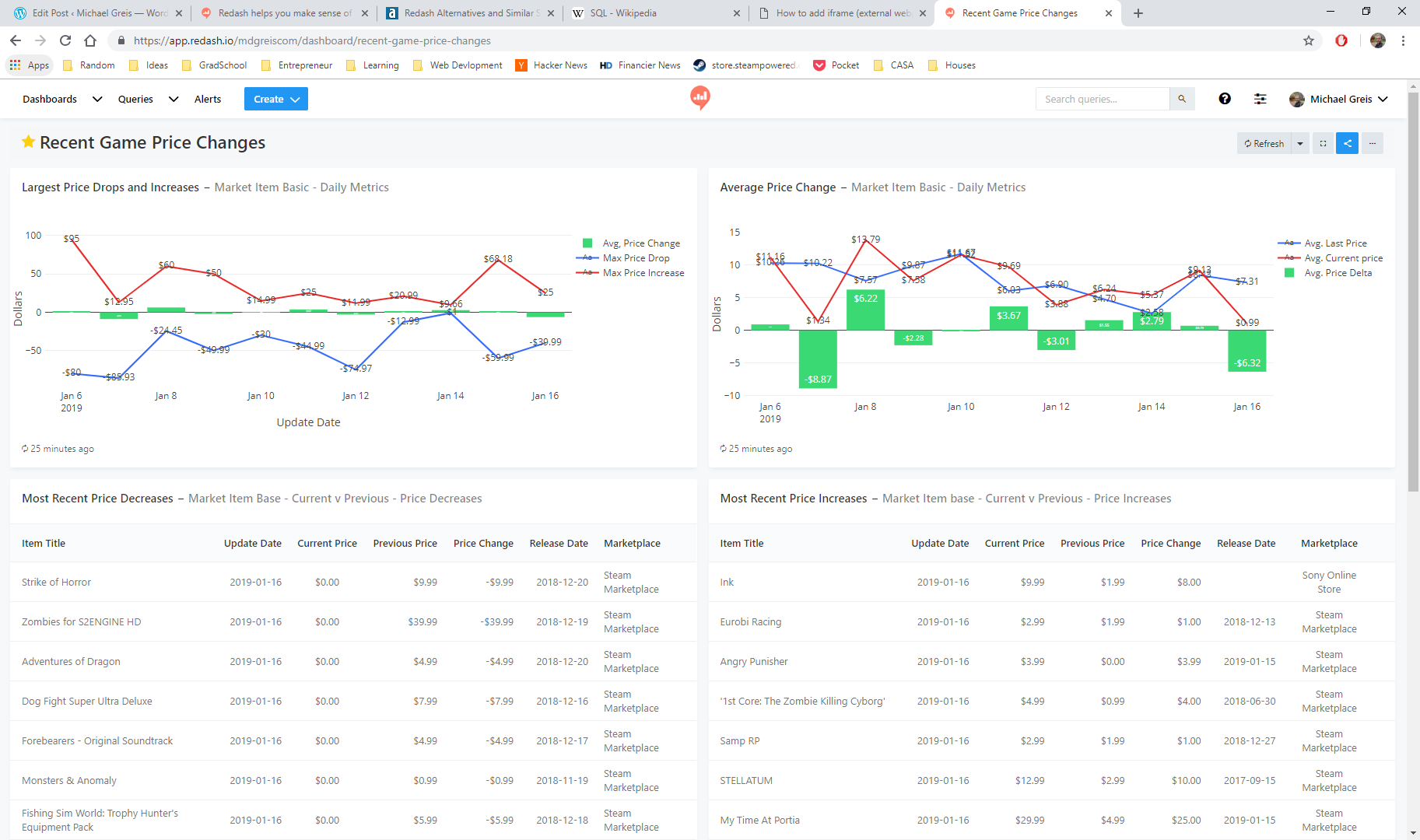
So, not wanting to spend any money upfront, I went over to Redash and started using it to build the first dashboards in the tool using the free trial. Needless to say, I fell in love with the tool instantly then my love was instantly tempered by other limitations present in in Redash. Below is the dashboard that was created, which can no longer be accessed unfortunately due to the free trial period ending, but appeared as pictured below.

redash-dashboard

Redash dashboard for Steam and Sony Marketplace price changes

Running through the charts, you can see the game and pricing data that has been collected by my scrapers. Scrolling through the different charts you’ll see the following:

  1. Largest Price Drops and Increases: Shows daily what the maximum price increase has been, and largest decrease has been, along with the average price change for all items which had a price change that day.
  2. Average Price Change: The average price for items which changed price, along with the average previous price for all items in the Steam Marketplace and Sony Play Store which had a price change for the day. In green is average price change between the old price and new price.
  3. Most Recent Price Decreases: The last 20 items which have decreased in price, and associated data.
  4. Most Recent Price Increases: The last 20 items which have increased in price, along with associated data.

At the bottom of each of these panels you’ll see when the data last was refreshed from the database.

Now onto the original reason for writing this article. The pros and cons of using and building dashboards in this tool.

Pros

  1. No row limit encountered on the free trial! What a great feature. The first requirement I had was that I wanted to be able to ingest a large amount of data and do aggregations using that data. Not having a hard row limit that I ran into with my small 40,000 record data-set originally sold me on this tool.
  2. Easy to get up and running. Setting up with tool, and making use of the connectors already present in the tool was extremely easy.
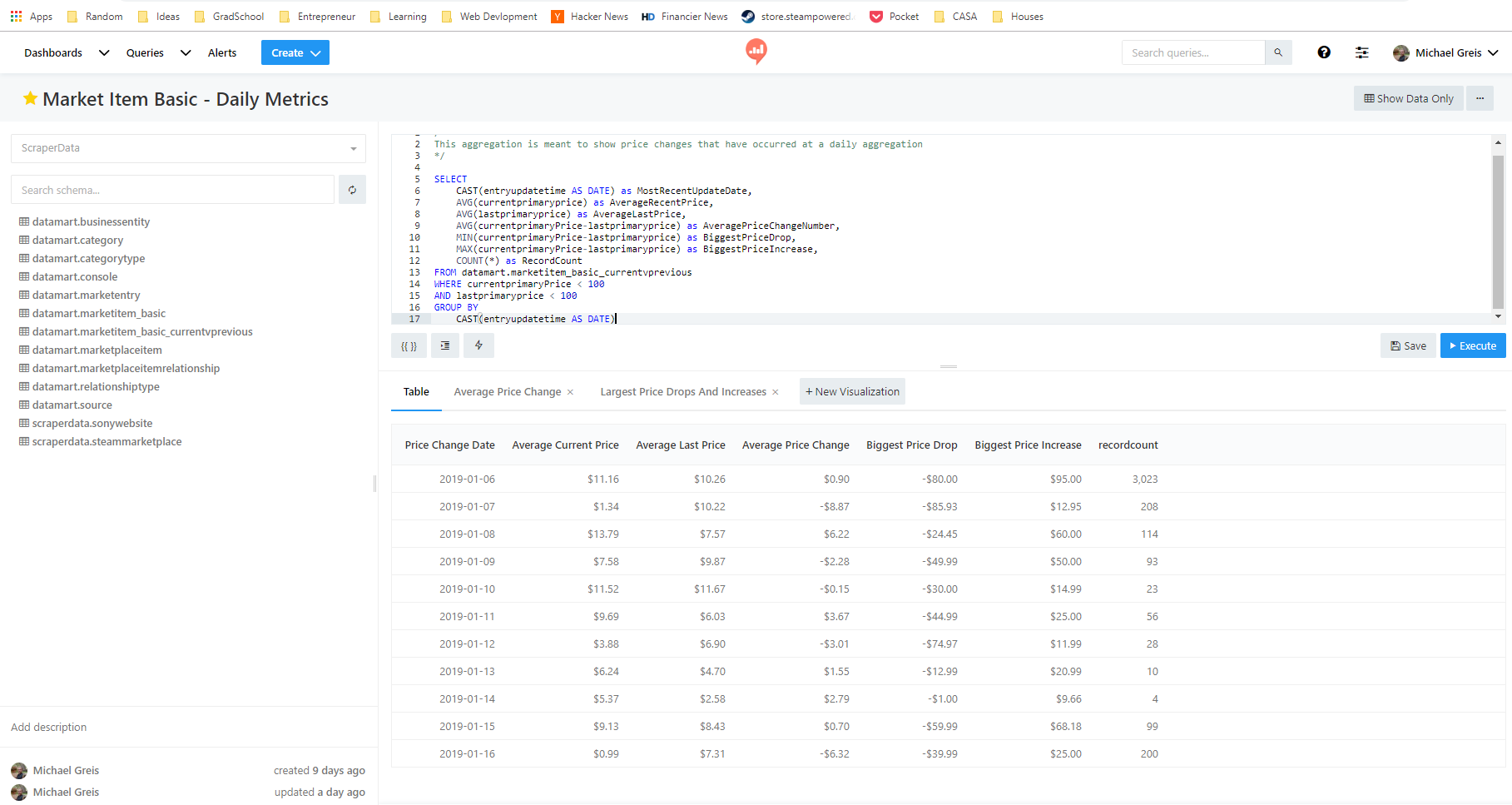
  3. SQL interface is extremely intuitive to anyone who has used SQL Server Management Studio/PgAdmin, or any other database querying GUI tool.
  4. Refreshes are extremely easy to schedule and reliable.

Cons

  1. Free trial, and free software if self hosted. If hosted using Redash.io like I did, the price is $49 a month on the lowest tier. Metabase hosting on Heroku is just as easy, and cheaper to use in the long term for small side projects.
  2. No aggregations can be done within visualizations, which in my view is a must-have with any dash boarding/reporting tool. Redash forces you to push that logic into SQL code, which results in redundant/complex queries. It also forces you to pre-aggregate, so the feature of “No row limit” in the pro’s section no longer applies.
  3. Visualization features are basic/limited. Other dash boarding tools allow you do stacked bars, generally more customization option, tool-tips, choosing color schemes, etc. which are not easily available or are limited compared to a tool like Tableau.
redash-queryeditor

Redash query editor. Combine multiple query visualizations to create a dashboard.

Redash was a tool meant for another use case. Perhaps one where you need a basic tool for monitoring ETL, or some other system…Using Redash was a good experience, but using something like Metabase is the tool for me at the moment. Due to the fact that in Redash all calculations have to be pushed down to the SQL and cannot be done with aggregations in the tool, along with the pricing, it doesn’t seem to suit my use case.

What Should Documentation Be?

The problems Business Intelligence organizations solve in organizations are generally the same. Pull some data out of somewhere, synthesize the data, analyze it, then create a picture of what is happening, what is going to happen, or what has happened. Working in small and large organizations, I’ve had the pleasure of seeing a variety of different processes used to deliver these insights. These range from the overbearing, and associated documentation that crush people’s productivity, to the lightweight that creates quicksand beneath teams feet through the lack of knowledge transfer.

Seeing the overbearing and the extremely light weight, there’s one conclusion I’ve arrived at concerning documentation…

Document as Little as Possible


documentation_joke

Relevant literature

Don’t commit time to things that aren’t creating revenue or helping the business. Looking at IT projects, there is no doubt that the more documentation that there is, the less value there is. The perfect example came about when having a beer with a former co-worker.


It was brought up that the process at the company we both previously worked at had documentation that took longer to create then coding, testing, and implementing the change. Additionally, this painstakingly crafted documentation that the engineer had to spend time tracking down information for didn’t result in documents that would be useful to the team doing the work going forward. The process decreed that you must document X, Y, and Z in order to deploy the change/implementation so that’s what was done. The fundamental truth is that the “…benefit of having documentation must be greater than the cost of creating and maintaining it.”

Some people believe in the exact opposite of over documentation. Nothing should be documented. The code/implementation should speak for itself. This may work when you have a small size IT application the will always be managed by the same group of individuals (which likely won’t happen). Once you reach an application spanning multiple servers, teams, and databases the expectation for the code/implementation to “speak for itself” in a timely manner to those who have to report and get analytics out is unreasonable.

So, what’s being proposed in this rant? The only useful documentation that I’ve seen documents the “Why” and the “How”. Everything else doesn’t create value for the organization, as the cost to maintain and develop the documentation is too high.

Why

Creating a BI Product entails connecting the business process to an application(s) or database(s). Depending on the environment that you’re working in, Inmon, Kimball, or something else entirely, you need to know the answer to why things in your system exist. The “Why” is important not only from a high leadership level, but also at a low technical implementation level. The “Why” statement done at the low level helps to ensure that a team is using previously created tools and implementations as designed. And if a change is made that goes against the original “Why”, it is intentional and by design.

As an example, working on the Vehicle Profitability by VIN project, the Data Architect created both Inmon (3-NF) and Kimball (dimensional reporting) structures on the project. The “Why” was made extremely apparent through documentation, so the teams knew how to use the current implementation to achieve their goal in the best way possible.

Are you importing new invoice data? That should go into the wholesale invoice structure so that it flows up in the existing fact that contains the revenue information for vehicles which our reports feed from. Why? Because we want a single source of truth for vehicle revenue.

When documentation providing the “Why” for technical implementations exists, it makes adding on and changing the existing processes and assets easier. As opposed to re-inventing the wheel over and over.

How

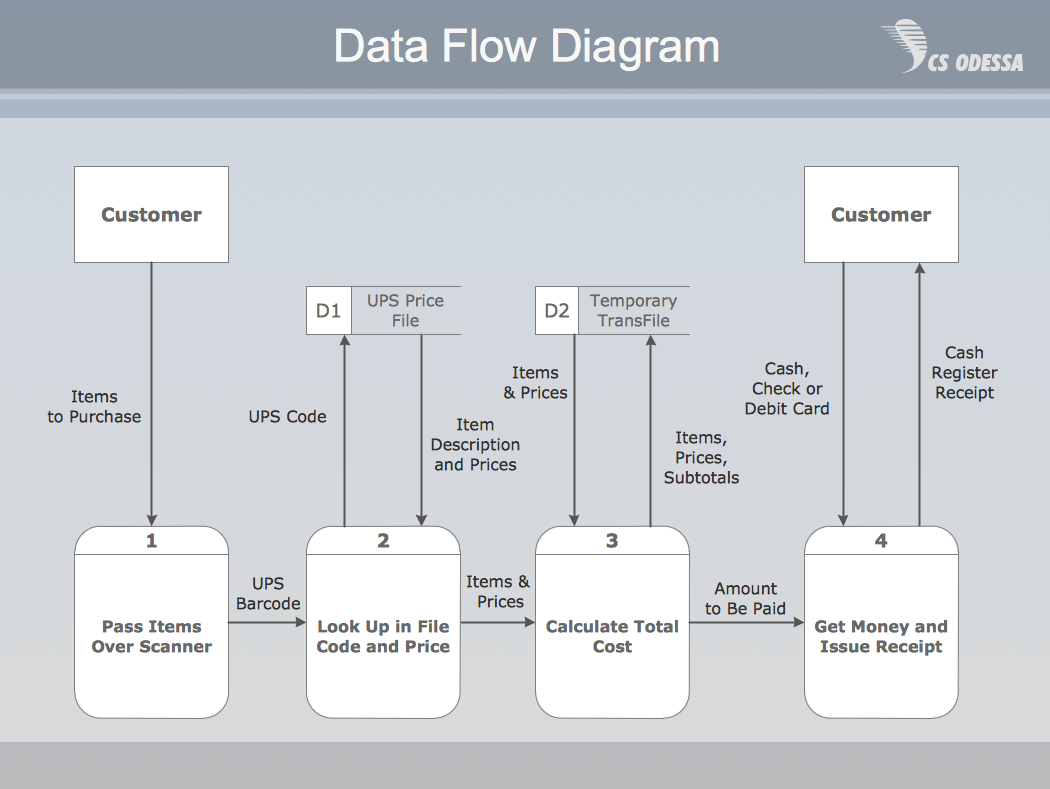
Payment-Data-Flow-Diagram

basic data flow diagram

So after we know why something exists, the other piece that is useful for documentation is the “How”. The “How” shouldn’t be step by step instructions, it should function like a high level map. Data Flow Diagrams are a great example of “How” documentation that I’ve found useful for Business Intelligence products. Armed with the Data Flow Diagram and the “Why” of the design, team members who need to report on, extend, maintain, or refactor a system will be able to make informed decisions.


Make It Useful

At the end of the day, documentation gets in the way of creating code/analysis/direct business value. So the argument for spending time creating documentation is hard to make when someone hasn’t experienced the pains associated with lack of documentation. Lack of architecture that makes sense, misreported numbers, time wasted building processes that do exactly what existing processes already do.

Without documentation, maintaining and using a system or process as intended is impossible. With documentation that is accessible, searchable, and focuses on the “How” and “Why”, organizations can make smart and informed decisions of where to spend time, how to tweak things, and how to get value from their assets.