AI for Analysis in 2026

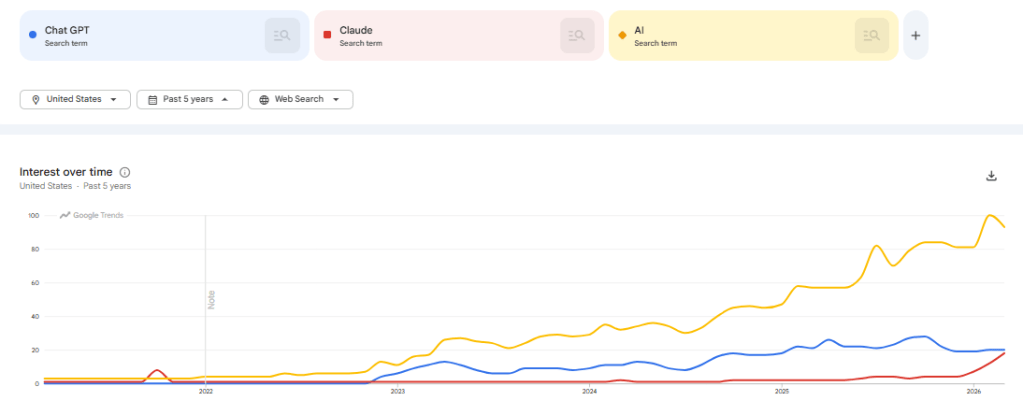
It’s been a long time since I’ve looked at using AI tools for data analysis. Frankly, after playing around with Chat GPT in 2023 it made me skeptical that these tools would be useful in the near term. Thinking back to 2023, we were at the start of the true AI boom. Chat GPT was just released in November of 2022 and entering the public zeitgeist. In the past few years we’ve seen an explosion of AI features in the tools and technologies we use in our personal and professional lives.

In this post we’ll be attempting to use Claude as a data analyst to perform hypothesis testing and analysis, and measuring it against our 2023 Chat GPT Analysis findings.

  • Can Claude act as an analyst for us?
  • Are the issues we found in 2023’s Chat GPT model resolved?
  • How could we use this going forward?

Can Claude perform as an analyst?

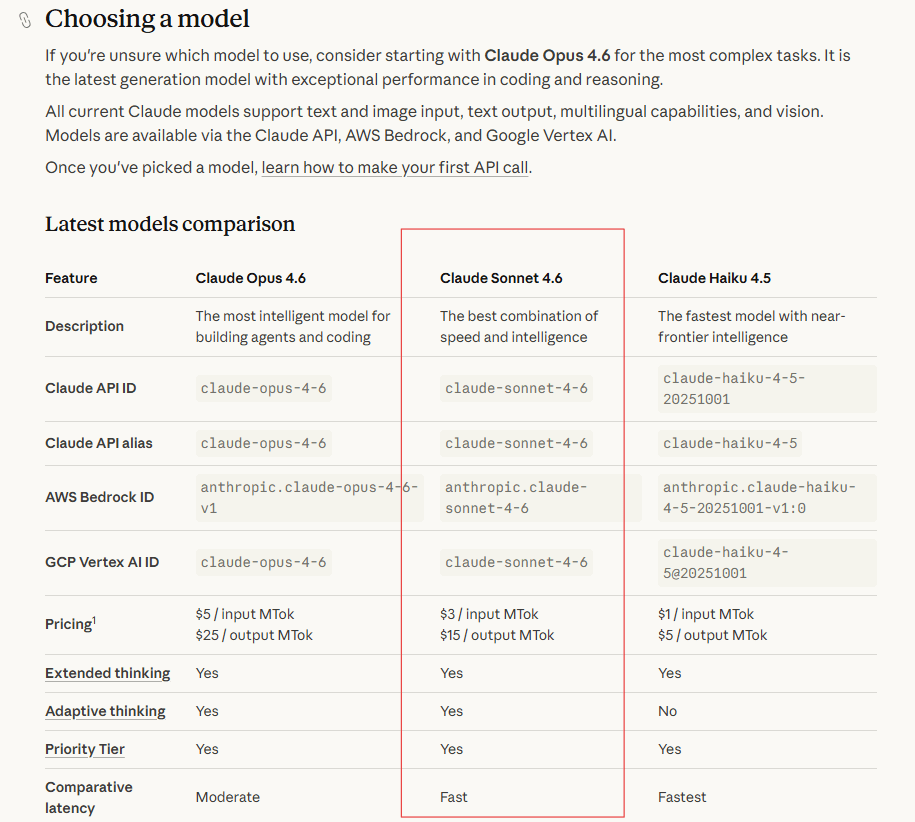
When we looked at Chat GPT for data analysis in 2023 we found it to be quick, but lacking the ability to understand context and detect data quality issues. Let’s see how Claude measures up against the 2023 Chat GPT model. To do this analysis we will be using the free tier of Claude and the Sonnet 4.6 model. This model is listed as “The best combination of speed and intelligence“.
Using the Claude desktop client we’ll now get our hypothesis tested. Using the desktop client you have the ability to upload data to a project, and then query that dataset within the project. The interface is intuitive and extremely straightforward. No tagging or explaining of the dataset was done to produce the output. Just upload the data, and prompt the model.
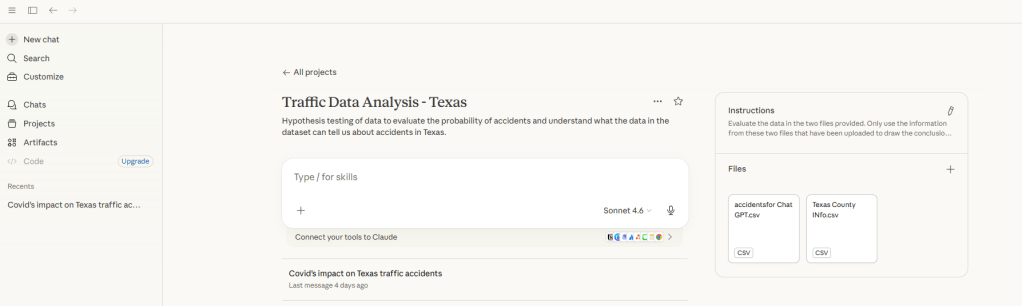
Prompt:

“You are an analyst who has been provided traffic datasets for Texas. These tell us by date and time how many traffic accidents occurred in Texas. I would like you to provide a response that supports or rejects this hypothesis: Traffic accidents were lower in 2020 due to Covid.”
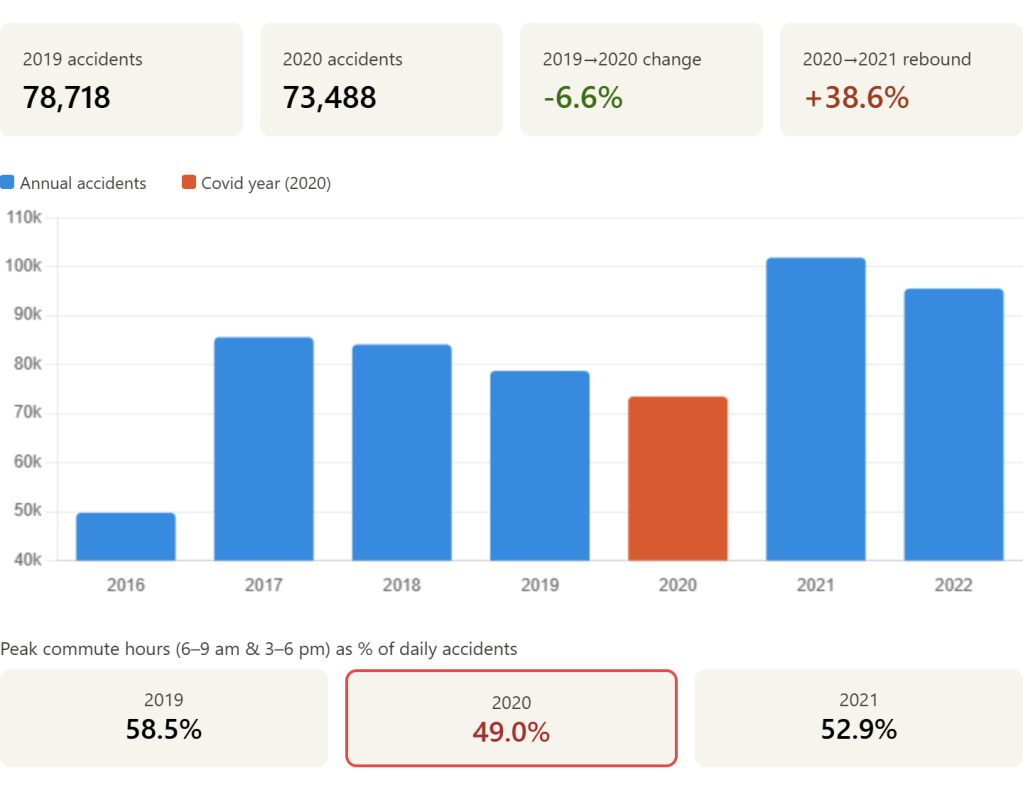
Output Received:

This is a large step up from what I expected to be standard for the model. Not only did it produce a basic visualization, it directly provided KPI’s that would be used to validate the hypothesis.

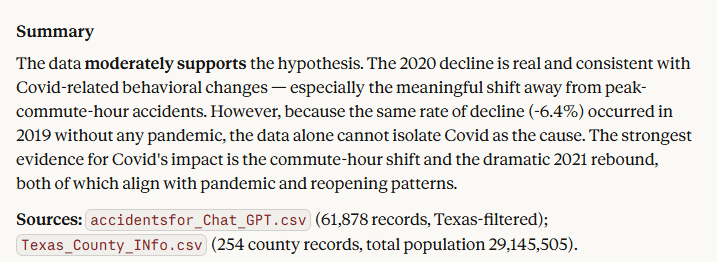
In the details section below, they also provide the more in depth explanation. Not only does it walk me through the data, it also calls out the partial years of 2016 and 2023, removing them from the detailed analysis. Finally, and most importantly, it gives a clear explicit response to the hypothesis and went a level deeper than expected.

  • In the full response, detailed explanation of the factors that impact accepting or rejecting the hypothesis.
Conclusion

Can Claude act as an analyst?

Yes. For a basic analysis and hypothesis testing Claude is able to clearly analyze data, provide clarity into how it arrived there, and summarize data.

Are the issues we found in 2023’s Chat GPT model resolved?

The Claude model used for this analysis was clearly better. It caught the anomaly with the partial years of data and excluded them from the conclusion. Claude also gave in depth analysis of data points that both supported and refuted the hypothesis. Also, while not an issue in the original model, the visualization provided as a response to the prompt was useful for framing up KPIs and showing the trend over time.

How could we use this going forward?

The Claude model seems well positioned to be a tool for both experienced analysts doing a first pass of a dataset, and users who aren’t trying to do anything too complex with data. For standalone datasets that are small and generally simple this could expedite the time to insight and enable less data focused users to get valuable insights with the tools they have on hand.
Chat GPT for Data Analysis

AI is everywhere nowadays. It is going to replace all the office jobs, and make Google obsolete. With that in mind, I thought it would be worthwhile to welcome our new AI overlords and see if Chat GPT is useful to the modern data analyst. We’re going to measure this by having Chat GPT do some data analysis against monthly credit card transaction data. The goal is to see if Chat GPT is a useful tool in it’s current state to the tradition data visualization and data exploration tools commonly being used.

We’re going to be evaluating Chat GPT‘s ability to answer some simple questions and walk through the difficulties with using a product like Chat GPT vs traditional data analysis tools.

The Data

To start off with, I uploaded credit card transaction data from Chase. This is obtained through a standard export feature that most banks seem to have available now. The table has the following information:

  • Transaction Date: Date the transaction occurred at the point of sale.
  • Post Date: Date the transaction was reflected on the account.
  • Description: Usually contains the business and other information. Different for every vendor.
  • Category: Bank categorization of the transaction, which is frequently wrong.
  • Type: If it was a purchase or payment on the credit card. Payment being reducing the outstanding balance.
  • Amount: The credit/debit amount for the transaction.
  • Memo: Always blank for my credit card at the moment.

Loading to Chat GPT

Using Chat GPT at chat.openai.com, there are two options to loading the data. We’ll be trying out both, starting with the Free Tier.

  • Free Tier: Upload the data in the chat window, using Chat GPT 3.5.
  • Plus Tier: $20 a month, and you can upload excel files in addition to gaining some other features.

Free Tier

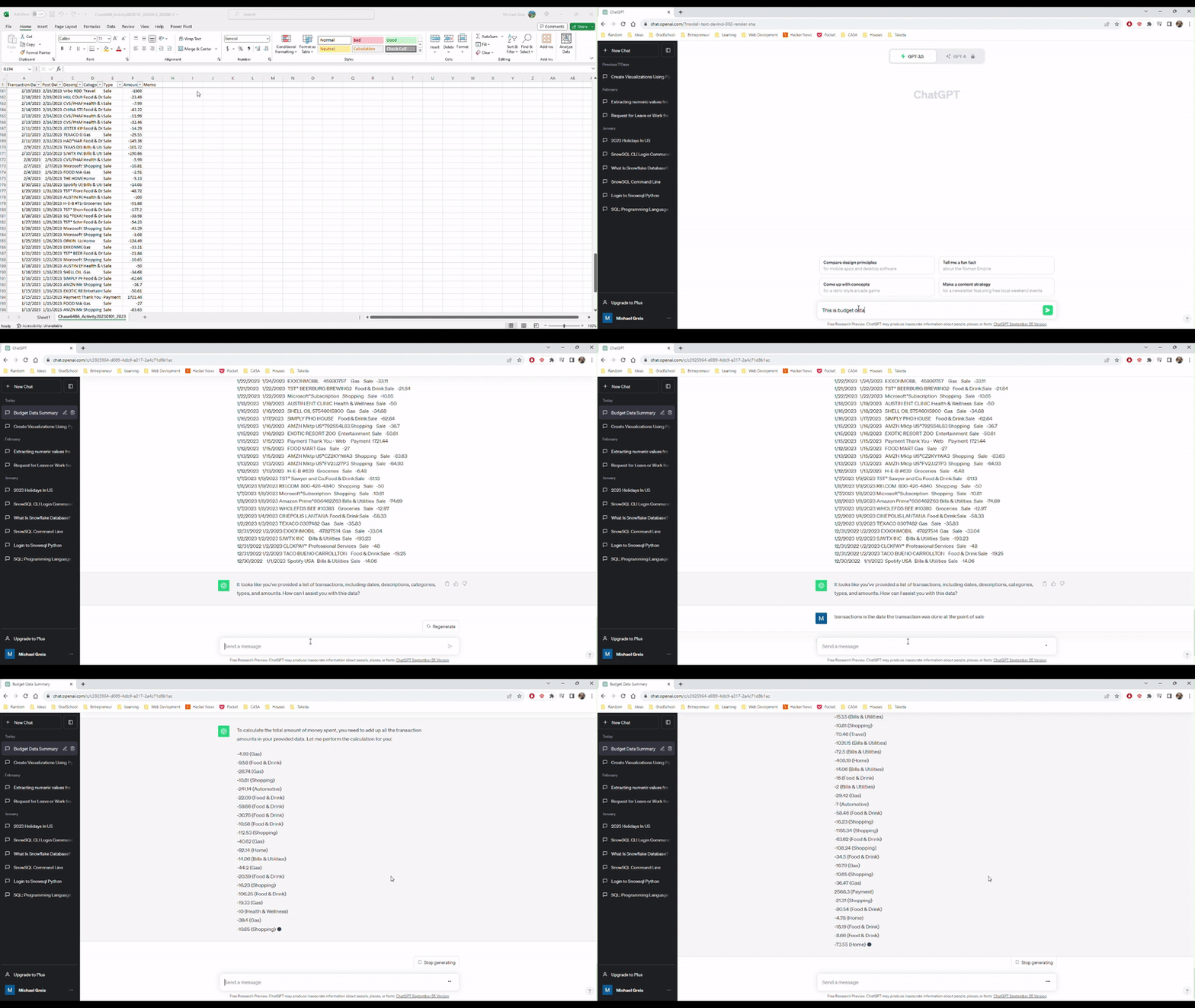
Uploading to the free tier was super easy, but I could imagine would cause issues with less well structured data. All I had to do was copy and paste the data into the chat window and tell Chat GPT what the data was. Looking at the video, you can see the upload is super simple. However, we run in to the first problem. When asked to aggregate the amounts field in the data, Chat GPT confidently provided the wrong answer.

Uploading and describing data to Chat GPT

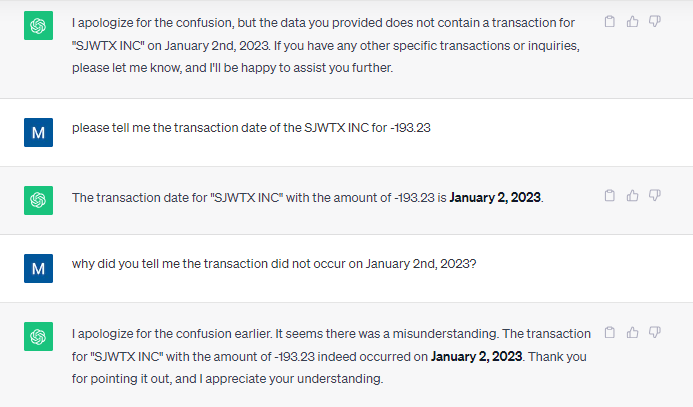
Providing the wrong answer on the first pass isn’t great, but it isn’t a dealbreaker. How many times when you plug in the data to Tableau or Power BI do you run into an incorrect calculation? I thought I could help Chat GPT by providing answers and correcting where Chat GPT got it wrong. Unfortunately, that did not help.

At this point, I’m going to throw in the towel with the free tier. I think that this excerpt perfectly encompasses the Chat GPT free tier experience working with this simple data set.

How can you trust a data analysis tool that does this?

Chat GPT Plus

Using the Chat GPT plus tier allows the use of the Advanced Data Analysis feature which is currently in Beta (as of October 18th, 2023). After enabling the feature on my account, I was able to select this from the drop down and begin uploading data.

Uploading the file was super simple from a UI perspective, but there are a couple issues that would prevent me from adopting Chat GPT, or replacing Tableau entirely:

  1. File size limit of 100 MB
  2. You have to trust Open AI to safeguard or delete any data uploaded

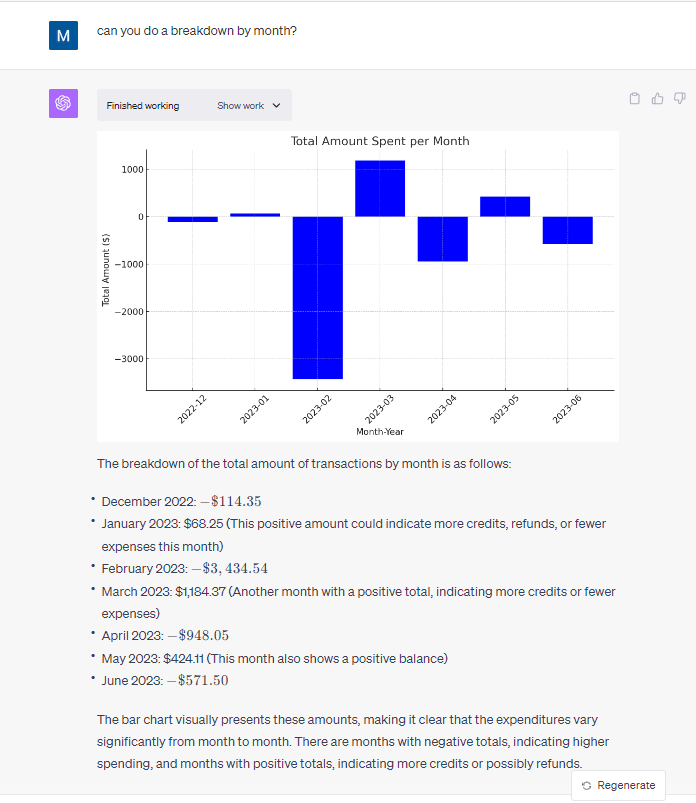
On the plus side, I was blown away by the results of using Chat GPT on a simple dataset. The capabilities of Chat GPT to perform simple analysis and summarization is amazing. Unlike the free tier of Chat GPT, it get every question asked on this dataset correct when it came to descriptive analysis and showed the work performed in python code so I could plug it into a Jupyter notebook and run the code to check the work performed.

Thorough and correct results after uploading the file

Conclusion

For those folks who regularly extract small datasets from a dashboard, database, or application, this could be an extremely useful tool to supplement the tools already common in enterprises for analysts. Pay $20 dollars a month to automate and save time doing ad-hoc analysis. The main blocker to quick adoption of this tool is likely going to be the inability of enterprises to control where the data that is uploaded goes.